
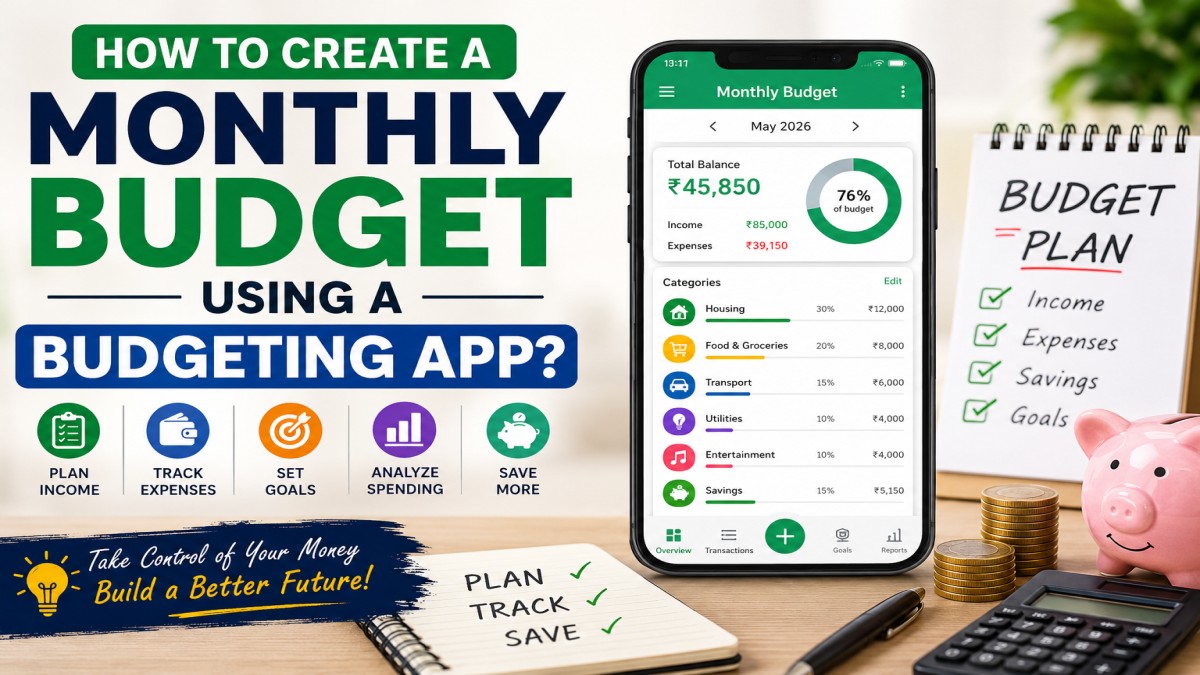
How to Create a Monthly Budget Using a Budgeting App? (Complete Beginner’s Guide)
Managing money has become easier than ever, thanks to modern budgeting apps. Whether you’re trying to save for a vacation, pay off debt, build an emergency fund, or simply gain control over your finances, a budgeting app can help you track every rupee, dollar, or pound you spend.
Many people believe budgeting means restricting themselves from enjoying life. In reality, budgeting gives you financial freedom by helping you spend intentionally. A good budgeting app automatically categorizes expenses, tracks your income, reminds you of upcoming bills, and provides insights into your spending habits.
In this comprehensive guide, you’ll learn exactly how to create a monthly budget using a budgeting app, understand the features to look for, avoid common budgeting mistakes, and discover practical tips that will help you stick to your budget every month.
Why You Need a Monthly Budget
A monthly budget acts as a financial roadmap. Instead of wondering where your money went at the end of each month, you’ll know exactly how much you earned, spent, saved, and invested.
Benefits of Monthly Budgeting
- Helps control unnecessary spending
- Reduces financial stress
- Builds healthy saving habits
- Makes debt repayment easier
- Prepares you for emergencies
- Improves financial discipline
- Helps achieve financial goals faster
- Tracks income and expenses accurately
What is a Budgeting App?
A budgeting app is a digital tool designed to help users manage their personal finances. These apps allow you to record income, monitor expenses, categorize transactions, create spending limits, and generate reports showing where your money is going.
Some budgeting apps even connect directly to your bank accounts, automatically importing transactions and updating your budget in real time.
Features to Look for in a Budgeting App
Before choosing any budgeting app, make sure it offers these essential features:
- Income tracking
- Expense categorization
- Budget planning
- Bill reminders
- Savings goals
- Debt tracking
- Investment tracking
- Financial reports
- Bank account synchronization
- Data encryption and security
- Multi-device access
- Exportable reports
Step-by-Step Guide to Create a Monthly Budget Using a Budgeting App
Step 1: Choose the Right Budgeting App
Not every budgeting app is designed for the same type of user.
Choose an app that matches your needs:
- Beginners
- Families
- Students
- Freelancers
- Business owners
- Investors
The right app should have a clean interface, strong security, and useful budgeting features.
Step 2: Add Your Monthly Income
Enter every source of income including:
- Salary
- Freelance earnings
- Rental income
- Side hustle income
- Business income
- Interest income
Use your actual take-home income after taxes for better budgeting accuracy.
Step 3: List Your Fixed Expenses
Fixed expenses remain almost the same every month.
Examples include:
- Rent
- Home loan EMI
- Car loan
- Insurance
- Internet bill
- Mobile recharge
- School fees
- Subscription services
These expenses should be prioritized in your monthly budget.
Step 4: Add Variable Expenses
Variable expenses change every month.
Examples include:
- Groceries
- Fuel
- Entertainment
- Dining out
- Shopping
- Electricity bill
- Water bill
- Medical expenses
- Travel
Tracking these expenses carefully can help identify unnecessary spending.
Step 5: Set Spending Limits
Most budgeting apps allow you to create spending limits for each category.
Example:
| Category | Monthly Budget |
|---|---|
| Groceries | ₹8,000 |
| Dining | ₹3,000 |
| Shopping | ₹5,000 |
| Fuel | ₹4,000 |
| Entertainment | ₹2,000 |
Whenever you exceed your budget, the app will alert you.
Step 6: Create Savings Goals
Instead of saving whatever is left, make saving a fixed monthly expense.
Examples:
- Emergency Fund
- Home Down Payment
- Vacation
- Car Purchase
- Child Education
- Retirement Fund
Most budgeting apps show your progress with visual charts.
Step 7: Track Every Expense
Consistency is the secret to successful budgeting.
Every purchase should be recorded:
- Coffee
- Online shopping
- Grocery
- Taxi
- Petrol
- Dining
- Subscriptions
Many apps automate this process by syncing with your bank account.
Step 8: Review Weekly
Don’t wait until the end of the month.
Review your budget every week.
Check:
- Spending trends
- Budget categories
- Savings progress
- Upcoming bills
This helps prevent overspending.
Step 9: Adjust Your Budget
Life changes.
Your budget should too.
If your income increases or expenses change, update your budget immediately.
Budgeting is flexible—not fixed.
Step 10: Analyze Monthly Reports
One of the biggest advantages of budgeting apps is automated reports.
Reports usually include:
- Spending categories
- Savings progress
- Cash flow
- Income vs Expenses
- Budget comparison
- Monthly trends
Use these insights to improve next month’s budget.
Popular Budgeting Methods
1. 50/30/20 Rule
- 50% Needs
- 30% Wants
- 20% Savings
Ideal for beginners.
2. Zero-Based Budget
Every pound, rupee, or dollar is assigned a purpose.
Income – Expenses = Zero
Excellent for people serious about saving.
3. Envelope Budget Method
Allocate a fixed amount to each spending category.
Once a category reaches its limit, stop spending.
Many budgeting apps provide digital envelope budgeting.
Common Budgeting Mistakes
Avoid these common mistakes:
- Not tracking daily expenses
- Setting unrealistic budgets
- Forgetting annual expenses
- Ignoring emergency funds
- Not reviewing monthly reports
- Overspending on lifestyle upgrades
- Underestimating grocery costs
- Forgetting subscriptions
- Not adjusting budgets after salary changes
- Giving up after one bad month
Tips to Stick to Your Monthly Budget
- Record expenses daily
- Use spending alerts
- Avoid impulse purchases
- Cook more meals at home
- Review your budget every Sunday
- Build an emergency fund
- Cancel unused subscriptions
- Save before spending
- Use cashback wisely
- Celebrate small financial milestones
Benefits of Using a Budgeting App
Using a budgeting app offers several long-term advantages:
- Better money management
- Improved financial awareness
- Higher savings
- Reduced debt
- Automatic expense tracking
- Financial goal planning
- Better investment decisions
- Less financial anxiety
- Accurate spending reports
- Improved financial discipline
Final Thoughts
Creating a monthly budget using a budgeting app is one of the smartest financial habits you can develop. It transforms budgeting from a tedious manual task into a simple, data-driven process that helps you understand your financial behaviour and make informed decisions.
Remember, the best budget isn’t the most complicated one—it’s the one you can consistently follow. Start with realistic spending limits, review your progress regularly, and adjust your budget as your life changes. Over time, you’ll not only save more money but also gain confidence and control over your finances.
Frequently Asked Questions (FAQs)
1. What is a budgeting app?
A budgeting app is a digital tool that helps users track income, expenses, savings, bills, and financial goals in one place.
2. Are budgeting apps safe to use?
Yes. Most reputable budgeting apps use bank-level encryption, multi-factor authentication, and secure servers to protect your financial data.
3. Do I need to connect my bank account?
No. Many budgeting apps allow you to manually enter your income and expenses if you prefer not to link your bank account.
4. Which budgeting method is best for beginners?
The 50/30/20 budgeting rule is one of the simplest and most effective methods for beginners.
5. How often should I update my budget?
It’s recommended to review your budget weekly and perform a complete review at the end of every month.
6. Can budgeting apps help me save money?
Yes. They highlight spending patterns, reduce unnecessary expenses, and encourage consistent saving through goal tracking and reminders.
7. Are there free budgeting apps available?
Yes. Many budgeting apps offer free versions with essential features, while premium plans include advanced analytics, investment tracking, and personalised insights.
8. Can I use a budgeting app with irregular income?
Absolutely. Freelancers, business owners, and gig workers can use budgeting apps by estimating average monthly income and adjusting budgets as earnings change.
9. What expenses should I include in my monthly budget?
Include fixed expenses (rent, insurance, loan payments), variable expenses (groceries, transport, entertainment), savings, investments, and occasional or annual expenses such as gifts or vehicle servicing.
10. What is the biggest mistake people make while budgeting?
The biggest mistake is creating a budget but failing to track expenses consistently. Regular monitoring and small adjustments are key to long-term budgeting success.

